Project Deliveries lets you organize assets into deliverable tasks complete with full history tracking, asset approval process, dependency linking, and automatic status management. This article covers where to find Project Deliveries and an overview of its UI and systems.
¶ Where to find Project Deliveries
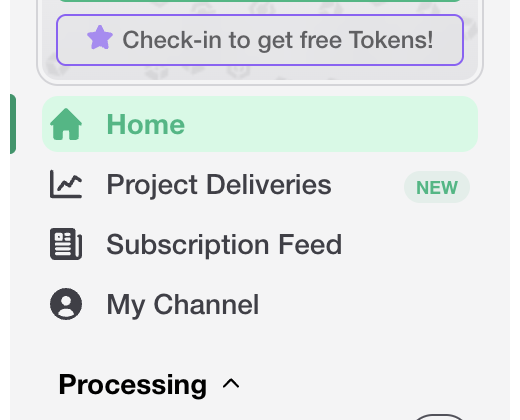 Project Deliveries can be found at the top of the main Polyverse sidebar.
¶ UI Tour
The following is a quick tour of the Project Deliveries UI.
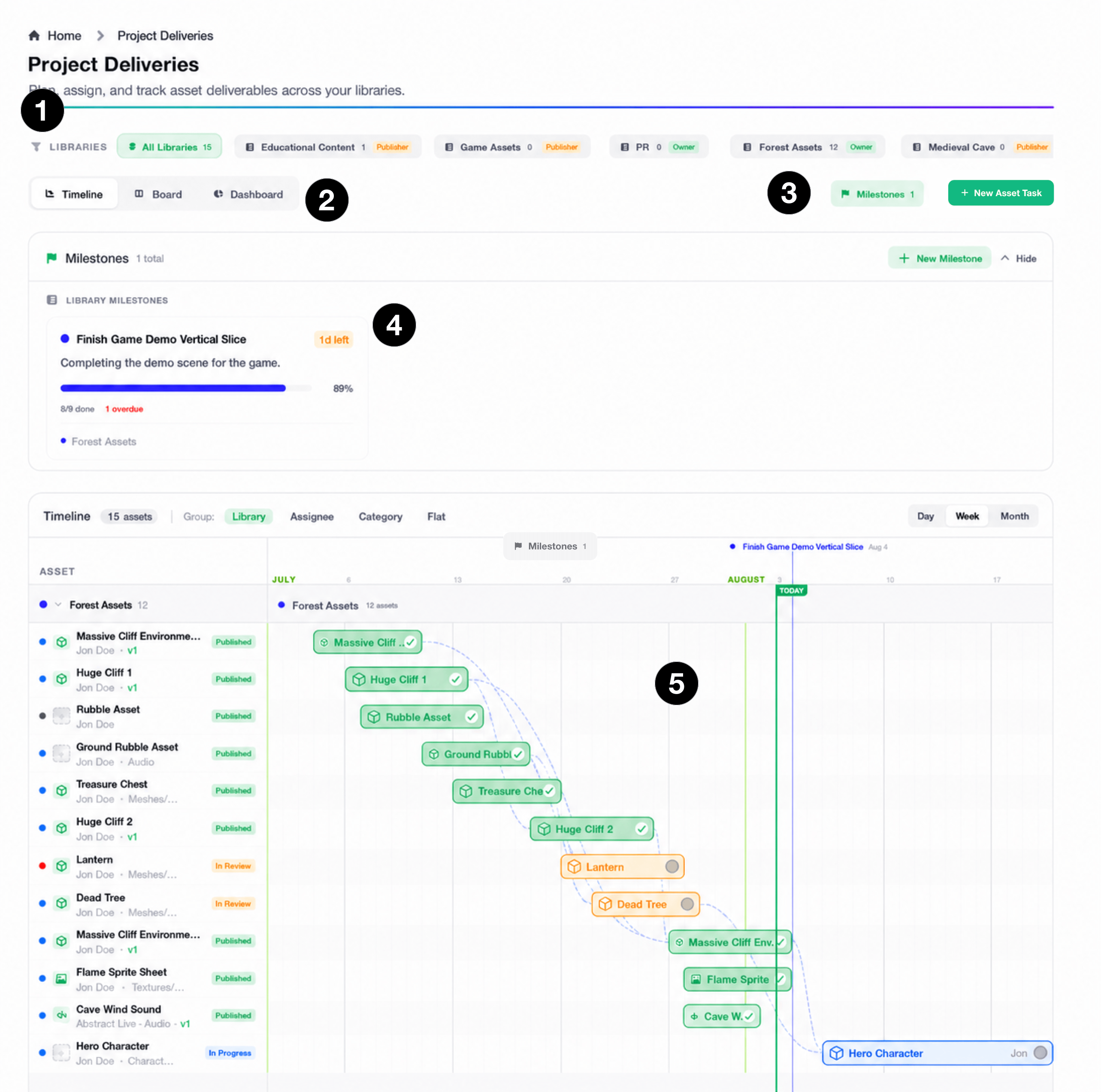
- Library Filter: Asset Libraries you can access in Project Deliveries appear here. Select a library to filter its content, or choose
All Librariesto see everything at once. - View Mode: Choose from the
Timeline(Gantt chart),Board(Kanban Board), orDashboardviews. - New Tasks and Milestones: Create a new asset tasks, and toggle the
Milestonessection with these buttons. - Milestones: Keep track of all milestones in this area. See our dedicated article on milestones.
- Timeline: Organize and manage asset tasks in the
Timelineview. Drag the start or end of a task on the timeline to change its start and due dates. Double click on a task to open the task view and reveal its information.
¶ Board View
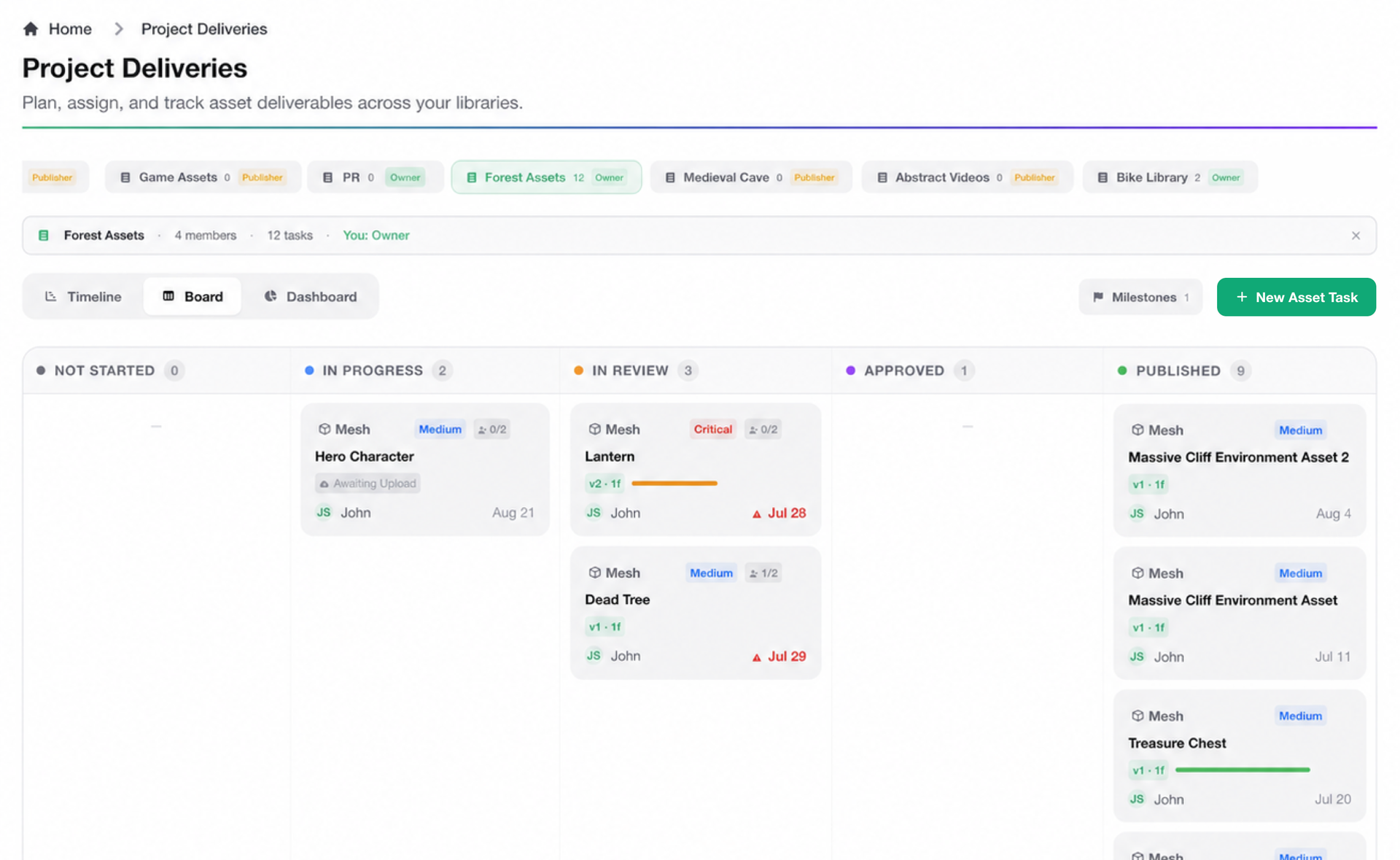
Organize and view tasks by status with the Kanban Board view. Click on a task to view its properties. Drag a task into another column to change its status.
¶ Dashboard View
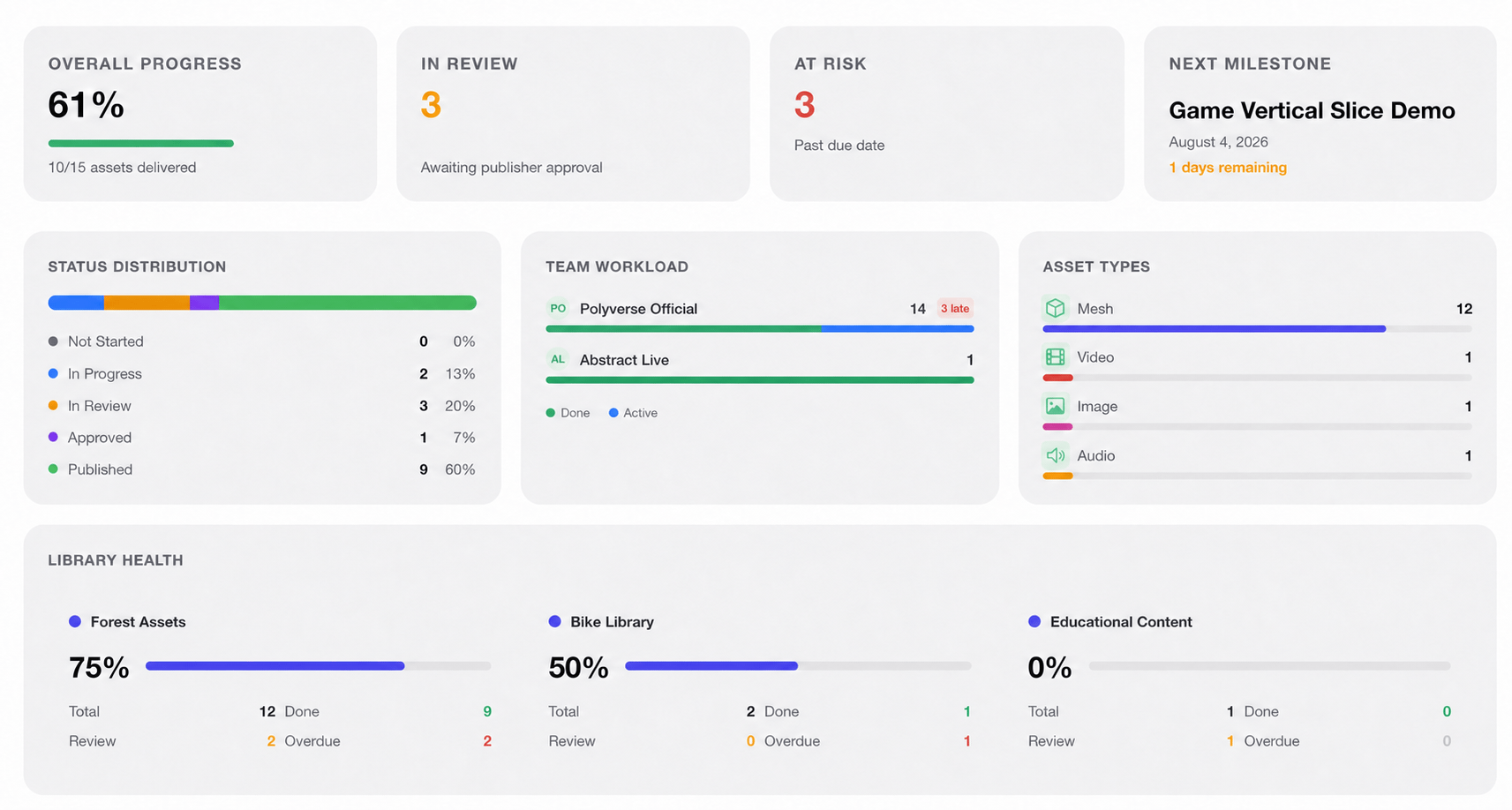
The Dashboard provides a useful overview of all filtered tasks, team members, and milestones.
¶ What’s Next?
Now that we’ve had an overview of the Project Deliveries UI, let’s dive into task creation in the next article.