Milestones help you mark and track important project goals, deadlines, and delivery checkpoints. In Project Deliveries, milestones appear alongside your tasks so you can quickly understand how individual asset tasks connect to larger project phases or review targets.
¶ Creating a Milestone
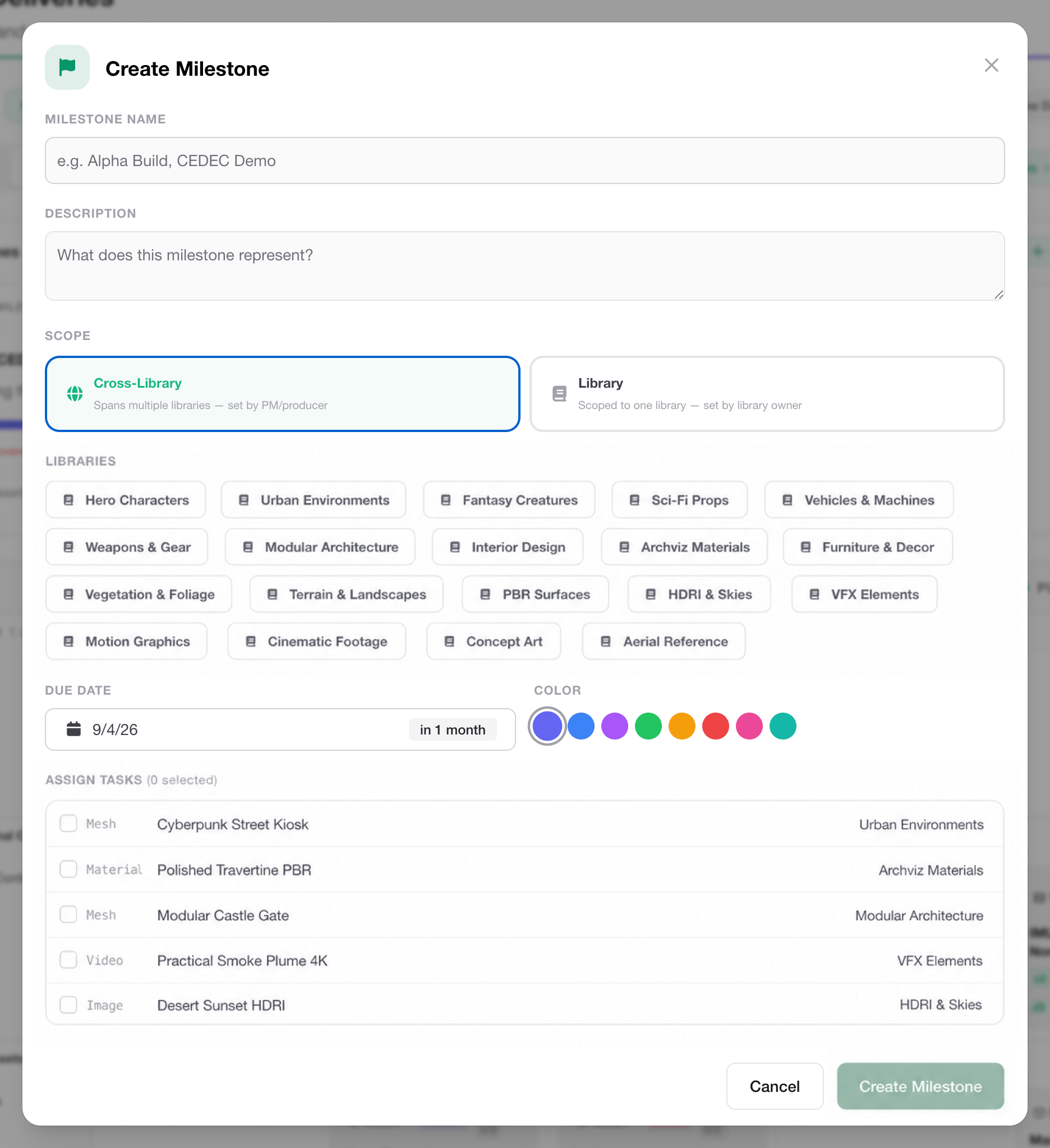
To create a milestone, navigate to Project Deliveries and make sure the Milestones section is visible. If it is hidden, click the Milestones button near the top of the Project Deliveries interface to show it, then click Create Milestone.
Give the milestone a name and description. Milestones can be scoped across multiple libraries or to a single library. Cross-Library milestones help track goals across multiple projects.
Assign a due date for the milestone, and provide it a color for quick recognition in the Timeline view. Then use the Assign Tasks section to select the tasks required to complete the milestone.
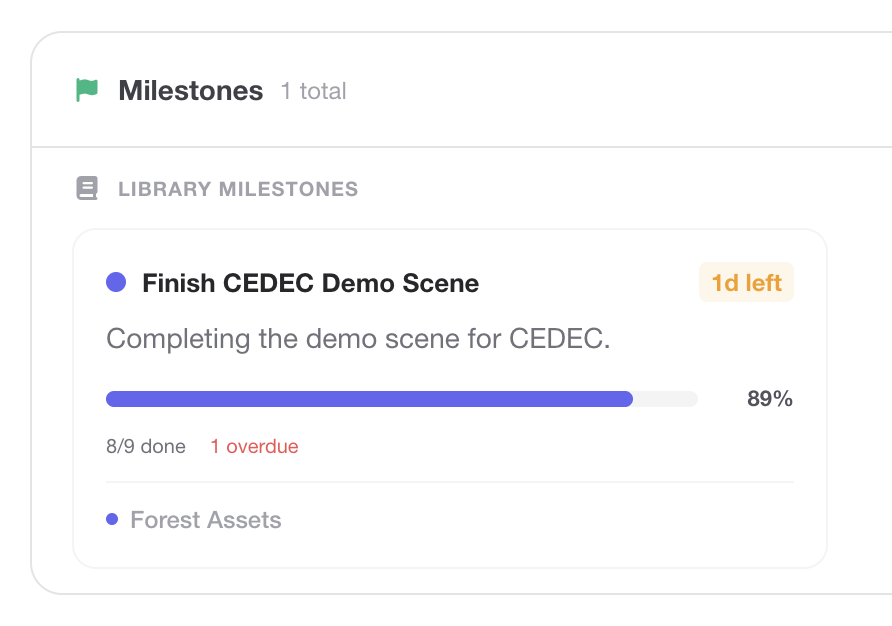
Once created, the milestone appears in the milestone area and can be used to track milestone completion and as a visual reference in the Timeline view while planning and tracking your project.
¶ Wrapping Up
You now have the core tools needed to manage projects with Project Deliveries in Abstract Polyverse. You’ve seen where to find Project Deliveries, how to create and organize tasks, how dependencies help visualize your workflow, how asset reviews move work through approval, and how milestones help track important project checkpoints.
Together, tasks, reviews, dependencies, and milestones give you a structured way to move assets from planning to completion while keeping your team aligned throughout the process.