¶ 30th June 2025
🔄 This deployment introduces a new automated syncing tool, documentation with video for InstaMAT Packages, a new automatic UV unwrapping Polytron and more!
¶ Polyverse Sync
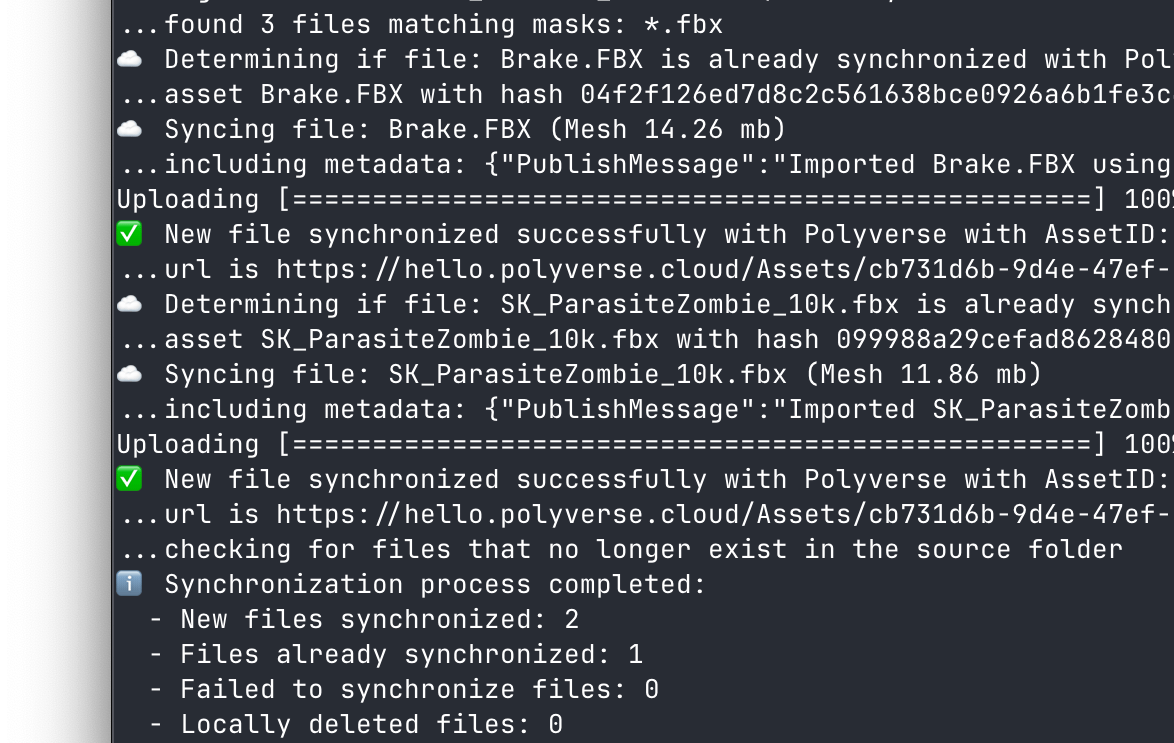 Polyverse Sync is a powerful command-line tool designed to streamline the synchronization of 2D and 3D assets with the Polyverse platform. By leveraging the Polyverse API, it enables users to upload, manage, and synchronize files from a local folder to a Polyverse library efficiently. The tool supports file hashing, version control, and selective file imports, making it ideal for developers, artists, and teams working with 3D content in industries like game development, VFX, XR, and more.
To learn more, visit the Polyverse Sync documentation page for easy installation instructions and a complete list of commands.
¶ InstaMAT Package Documentation with Video
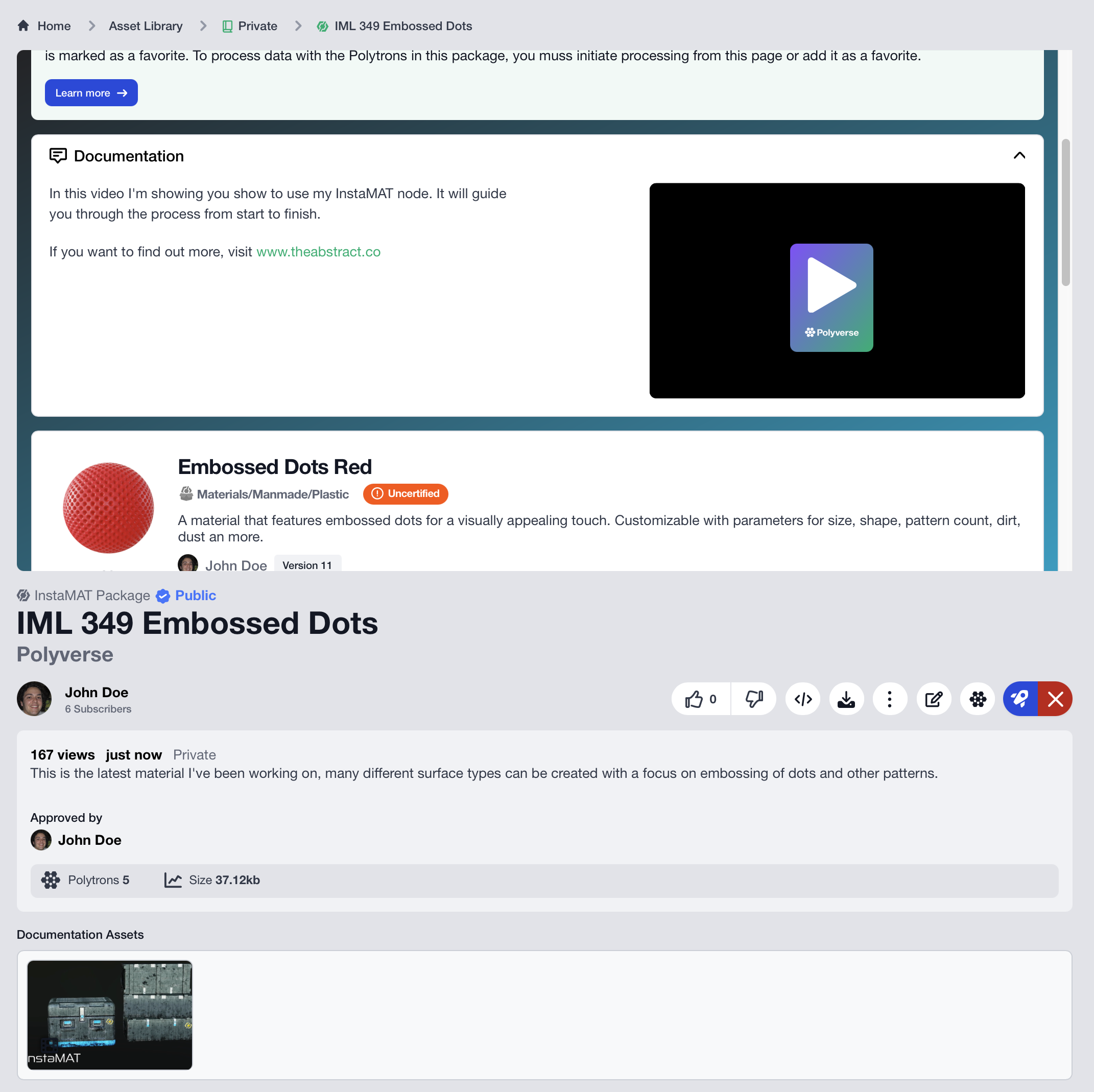
It is now possible to create and view custom documentation for InstaMAT package assets with an inline video. Adding documentation to your InstaMAT package assets allows creators to:
- Provide comprehensive documentation that guides users through complex workflows.
- Include step-by-step video tutorials demonstrating best practices.
- Showcase real-world applications and use cases.
- Explain parameter settings and their effects directly within the package interface.
Creating your custom documentation is as easy as adding a video in the asset library as an affiliate for the InstaMAT package. To learn more about Polyverse’s InstaMAT Package support, please visit our dedicated article on InstaMAT Projects and Packages on our documentation website.
¶ UV Unwrap Polytron
This release introduces the Mesh UV Unwrap Polytron, making it easier than ever to automate the tedious task of unwrapping complex 3D meshes in preparation for baking and texturing. Choose from a selection of specialized algorithms for hard surface and organic meshes and Polyverse will do the rest.
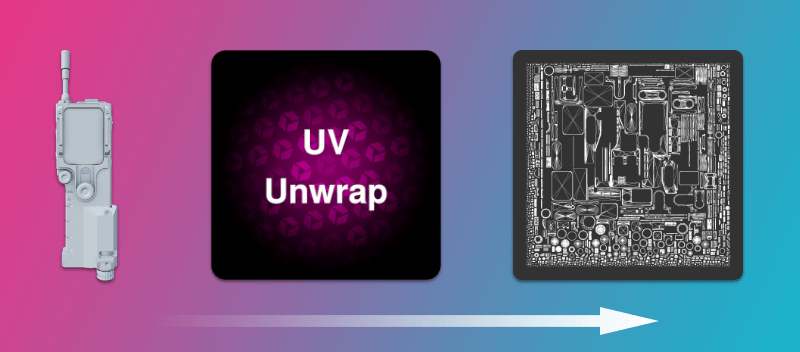
Add the Mesh UV Unwrap Polytron into a Polytron Pipeline to build powerful asset processing workflows that can transform raw 3D models into production-ready assets with properly unwrapped UVs, optimized meshes, and high-quality textures.
¶ All Changes
- Asset Viewers
- Added: InstaMAT Packages: Documentation videos can be displayed inline.
- Added: InstaMAT Packages: "Documentation" affiliates.
- Added: New UI for full screen and misc improvements.
- Added: Image Viewer: Added loading spinner and better handling for large images.
- Added: Video: Added fullscreen button.
- Added: Video: Embeds support looping and muting
- Improved: InstaMAT Packages: Better support for small screens
- Improved: Added error information when pre-processing failed (also added wiki page).
- Improved: Mesh Viewer: stability improvements.
- Fixed: Mesh Viewer: Potential fix for Windows fullscreen bug.
- Fixed: Video Player: Fixed for Polytron Results.
- Fixed: Audio Player for Polytron Results.
- Asset Libraries
- Added: Polyverse Sync: Tool to sync local libraries with PV.
- Added: InstaMAT assets have custom UI.
- Improved: Displaying new version status on the asset card.
- Fixed: Video mouse-over previews are in the correct order.
- Polytrons
- Added: New Polytron:
Mesh UV Unwrap. - Added: "Output" information on processing page.
- Added: Fixed price display and support on detail page and preview.
- Improved: Improved display of processing button to include fixed price info and added "How is cost computed" link.
- Improved: Previews wrap better on small screens.
- Added: New Polytron:
- UI/UX Improvements
- Added: Sidebar: Added "Download Plugins" link (also added wiki page).
- Added: Sidebar: Links to tools and plugins.
- Improved: Subscriptions: Reduced feed and improved results.
- Improved: Embedded Assets: Moved Polyverse overlay to sidebar
- Admin Updates
- Added: More improvements to system audit (live refresh) and task history.
- Added: Polytron Certification, Fixed Prices and Notes.
- Added: Polytron Global Settings.
- Added: Regenerate library asset data.
- Added: System Audit
- Added: Task History
¶ 30th May 2025
📺 This deployment provides a new Polyverse Video Player, multi-asset uploading, as well as many improvemnts to the UI/UX and Polyverse Player API.
¶ New Polyverse Video Player
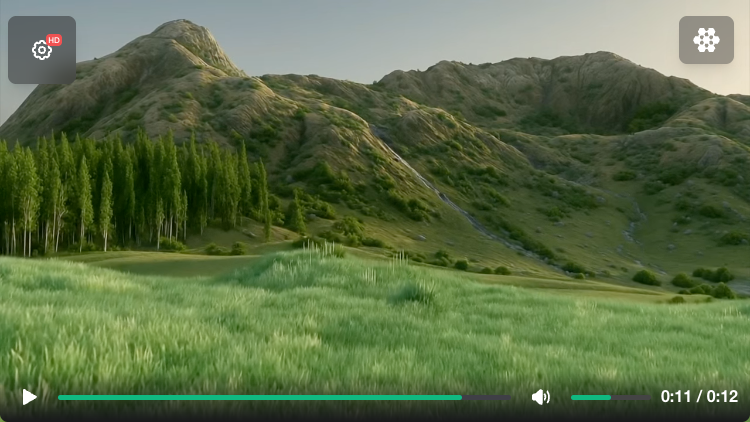
The new and improved video player provides a seamless video playback experience both when viewing assets in libraries and with embedded content.
¶ All Changes
- Media Playback
- Added: Video: New Polyverse Video Player.
- Asset Libraries
- Added: Asset thumbnails now generate with raytraced shadows.
- Improved: Multi-select disables text-less view.
- Improved: When in Text-less view mode, hovering over the asset details does not block turntable rotation.
- UI/UX
- Added: Assets: New upload UX that supports uploading multiple assets at once by dragging and dropping or by picking multiple files. Also supports background uploading.
- Added: The home page now has a language translation option for German 🇩🇪, Japanese 🇯🇵, Chinese 🇨🇳, and Korean 🇰🇷.
- Improved: More assets are now visible on the home page.
- Improved: Assets: When an asset finishes preprocessing, the UI automatically updates and shows the final asset.
- API
- Improved: New Polyverse Player API (see wiki)
¶ 28th May 2025
📦 This update introduces InstaMAT Package support and many improvements to the UI and UX.
¶ InstaMAT Package Support
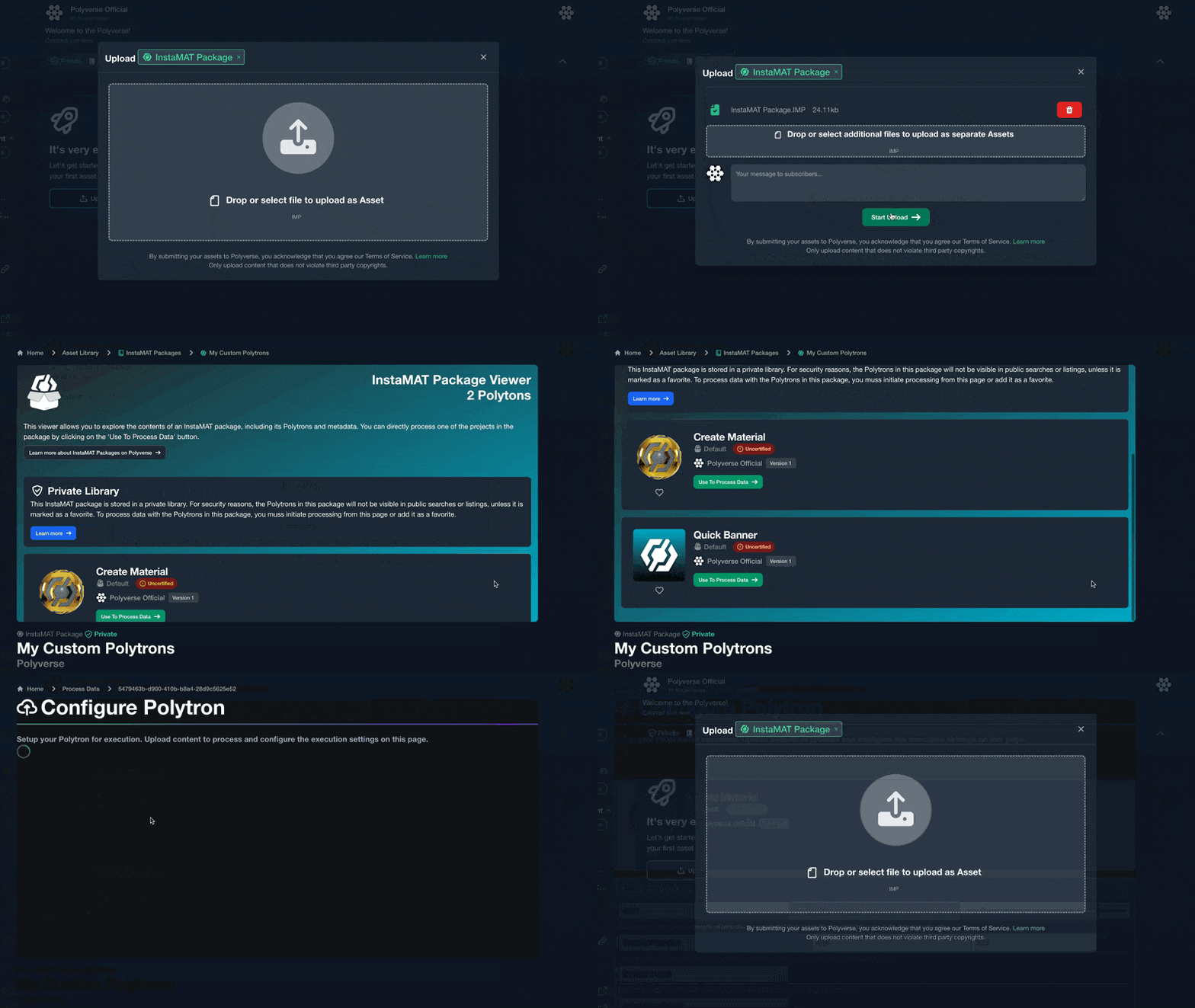
InstaMAT Packages can now be uploaded directly to your asset libraries, enabling easy sharing and execution of complex processing projects. These packages, created in InstaMAT Studio, contain pre-configured workflows and projects that automatically convert into Polytrons, allowing seamless execution within Polyverse.
This integration lets you bring sophisticated material and asset creation workflows into Polyverse, streamlining your pipeline and making it simple to manage, share, and automate content creation directly from a web browser.
By default, community created Polytrons are “uncertified” meaning that they will only show up in the search if the display of uncertified Polytrons is enabled. However, if you favorite an “uncertified” Polytron – it will show up in all cases.
¶ All Changes
-
Asset Libraries
- Added: Support for storing, viewing and executing InstaMAT Packages! Stored projects can be executed on Polyverse. Public libraries show packages as "Uncertified" for all users. Private libraries only show packages if favorited, even if they are your own.
- Added: New refined "text-less" UI for viewing assets in libraries. The text-less view mode can be toggled on and off.
- Added: A new asset version can be uploaded, even when the pending version has not yet been approved.
-
Polytrons
- Added: "Certification" to Polytrons to highlight Abstract approved data. By default only Certified Polytrons are visible. Supported on Search (Process Data page) and Quick Search (Polytron Pipeline editor).
- Added: Polytrons can now be browsed by category.
-
AbstractID
- Improved: Improved gamified check-in experience.
- Improved: Token changes are animated.
-
UI/UX
- Improved: Improved Markdown formatting with styles like lists, links and spaces.
- Improved: Improved "Download Asset" UI with clarified language.
- Improved: Audio: Improved loading experience with loading spinner.
-
Fixes:
- Fixed: Polytron Pipelines: Image value handling.
- Fixed: Visibility of close button on sidebar in collapsed state.
- Fixed: Incorrect skeleton for processing page.
- Fixed: Embed: Fixed embed API.
¶ 24th May 2025
✅ This deployment introduces token check-ins as well as UI improvements to the compact Abstract ID in the sidebar.
¶ Get Free Tokens by Checking In
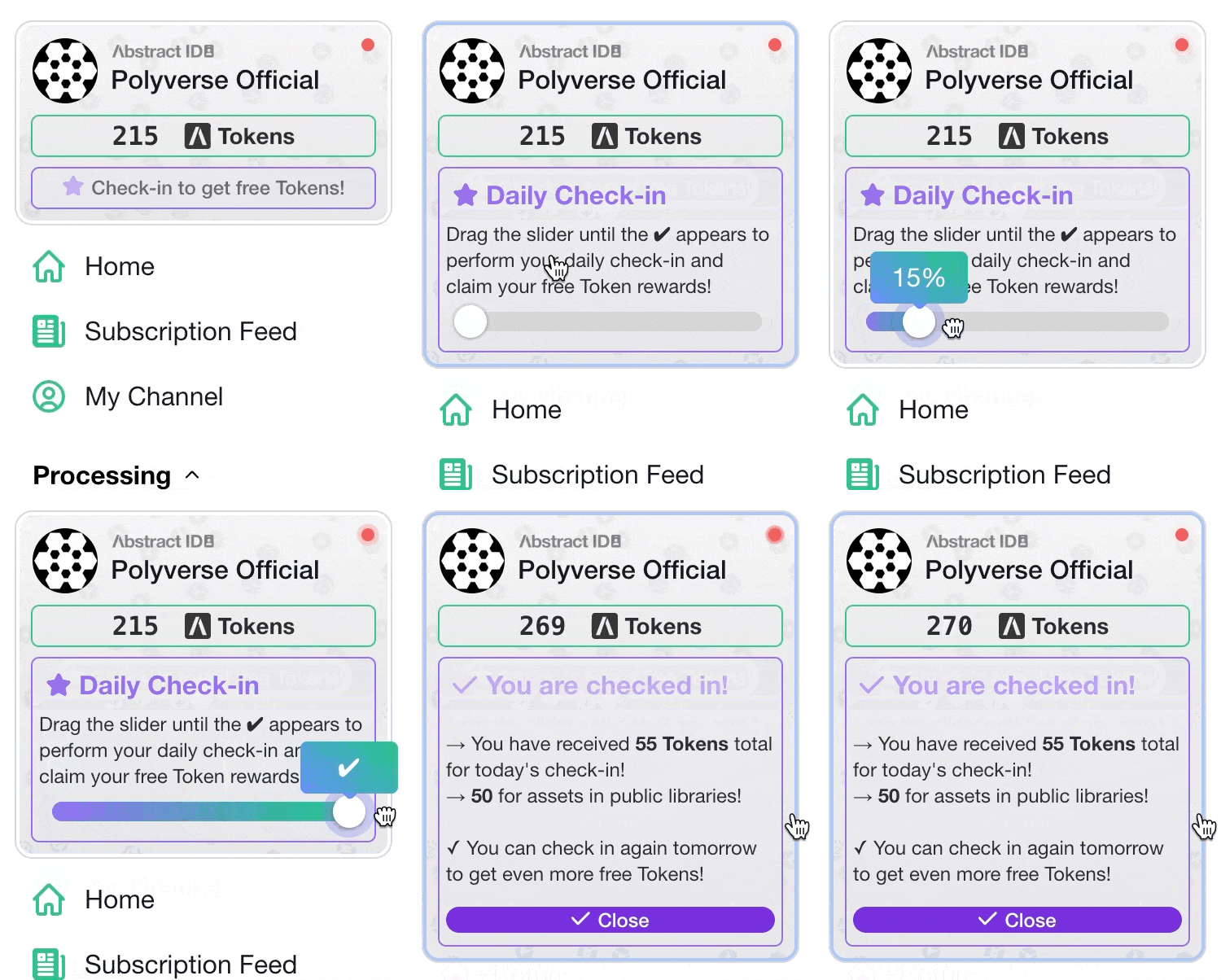 Now you can get free tokens by visiting Polyverse and checking in.
- Check in daily to recieve free tokens.
- Get more tokens for each check-in by uploading assets to public asset libraries.
- Check in weekly to recieve a bonus 50 tokens every week.
Tokens can be used to run GenAI models, mesh processing, and more with Polytrons:
- Generate meshes from one or more images with
GenAI Image to Mesh. - Create audio narration for social media and other content with
GenAI Text to Speech. - Remove backgrounds from images with
GenAI Background Removal. - And much more!
Combine Polytrons together with Polytron Pipelines to create complex asset processing workflows that you can execute from anywhere. Don't forget to check in once a day to earn your free tokens!
¶ All Changes
- Check In
- Added: Get free tokens by simply visiting Polyverse and checking in.
- Improved: Fixed typos and added jingle.
- UI
- Improved: Abstact ID: compact view has improved UI with less clutter, notification bell is now a dot that animates.
¶ 23rd May 2025
🎥 This update introduces a new Polytron for video file encoding, alongside enhanced audio and video asset handling for libraries and media playback with support for low and high-quality variants and new filter options.
¶ New Video File Encoding Polytron
 Easily convert between video formats with the new
 Video File Encoding Polytron.
- Choose a container format such as
WebM,MP4, andMKV. - Optionally re-encode the audio of the video with options to select the audio codec, bitrate, and sample rate.
- Videos can be resized with scaling mode options such as
Fit to Height,Fit to Width,Crop, andStretchalong with a designated padding color for the empty space. - Choose the output video codec and bitrate.
- Choose between video codec profiles that can prioritize encoding speed vs quality.
¶ Automatic Generation of Audio and Video Quality Variants
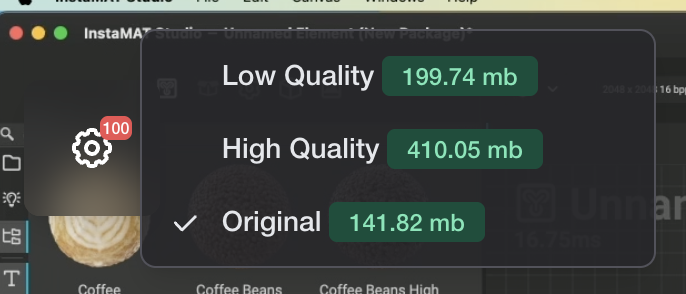 Polyverse automatically generates high and low quality variations of audio and video assets when they are uploaded to an asset library.
To switch to different quality level, simply click the gear icon in the viewport.
¶ All Changes
- New Polytron
- Added Polytron:
Video File Encoding: Converts between video file formats.
- Added Polytron:
- Asset Libraries
- Added: Audio assets are now encoded as Low and High quality variants.
- Added: Showing audio/video counts in the asset library header as filter buttons.
- Media Playback
- Added: Audio Player: Supports high/low quality variants.
- Added: Video Player: Supports high/low quality variants.
¶ 14th May 2025
🐞 This update provides bug fixes and other general improvements.
¶ All Changes
- Fixed: Library: Pushing back button with active search breaks the page.
- Fixed: Cannot select output image format for Polytrons.
¶ 13th May 2025
🚂 This deployment brings a comprehensive set of improvements and new features across various aspects of the platform, focusing on enhanced asset handling, user interface refinements, and workflow optimizations.
¶ Easily Convert Files when Downloading Assets
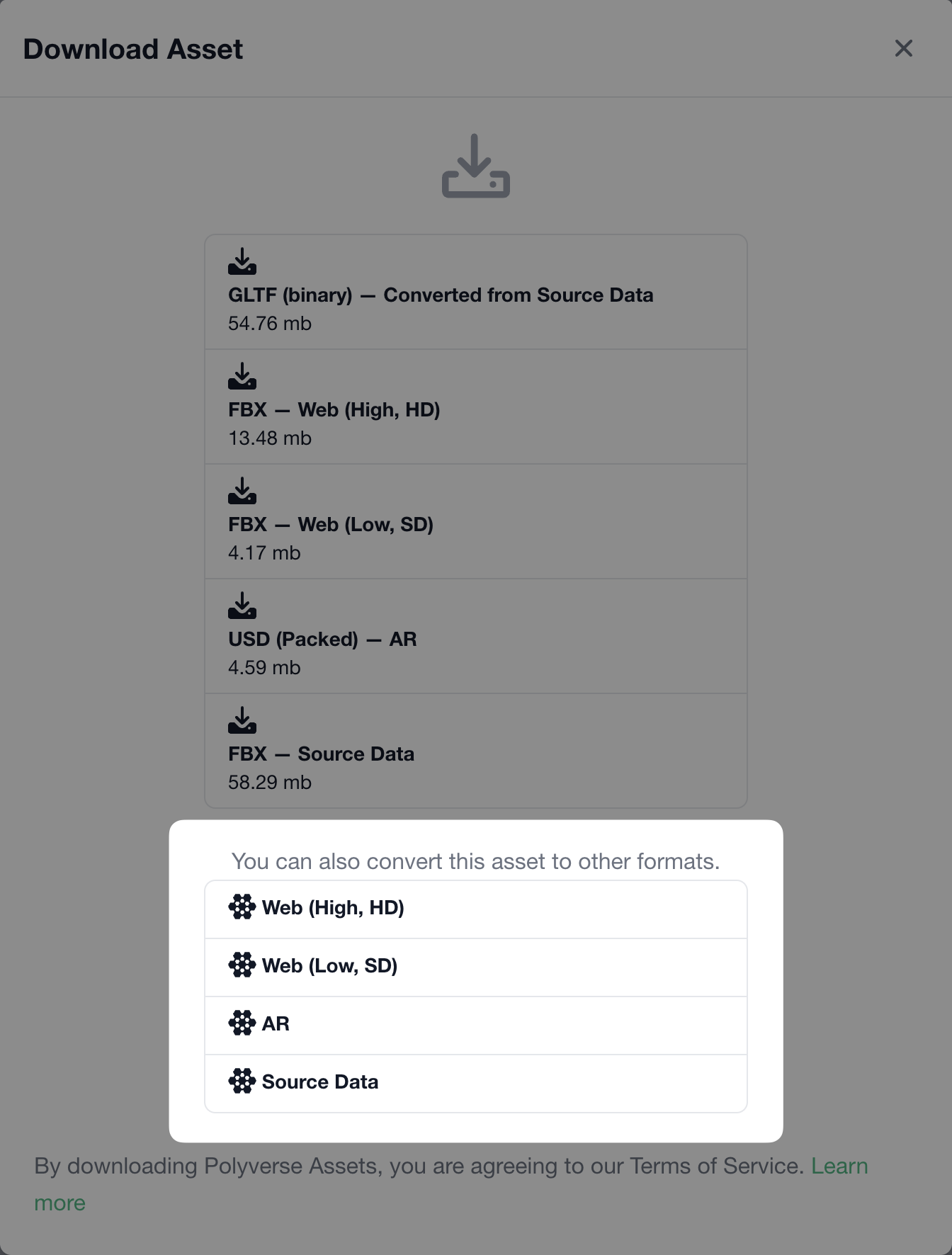 Quickly convert files when downloading assets from asset libraries.
Simply click the download button for an asset and choose which processed version of the asset to use as the source mesh for the conversion. The asset will be sent to a 3D File Conversion Polytron, where you can select an output mesh format and process the asset.
¶ Automatic Generation of Material Quality Variants
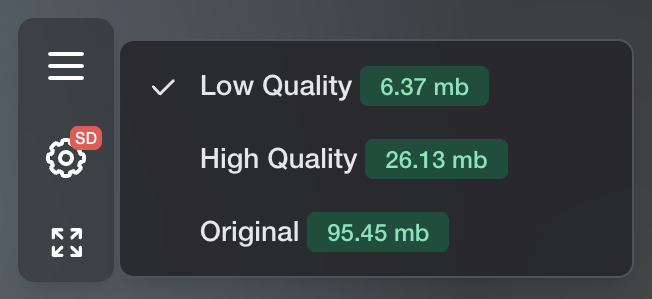 Like meshes, materials now automatically generate three levels of detail for each asset uploaded to an asset library.
To switch to different quality level, simply click the gear icon in the viewport.
¶ Multi-Asset Approval
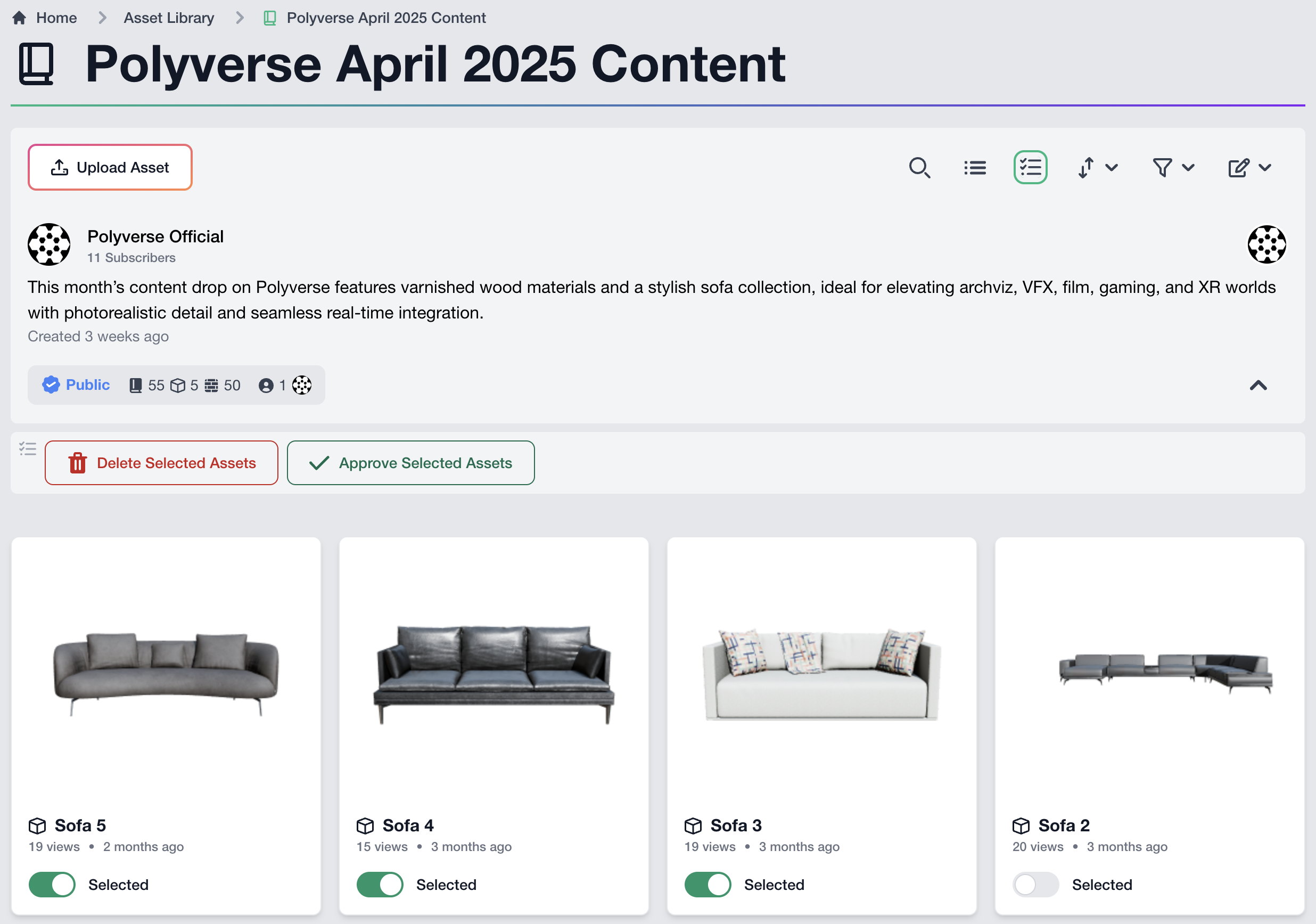
Multiple assets in an asset library can now be approved at once with multi-select. When viewing an asset library, click the multi-select button and enable the toggle for the chosen assets. Then, click Approve Selected Assets to approve the selection.
Note: The user needs approval permission for the asset library to approve assets.
¶ All Changes
- Meshes
- Added: Downloads can now be converted to any file type using a new feature that allows Polytrons to be setup from a URL.
- Materials
- Added: Materials now support streaming SD/HD/100% in the viewport. As with meshes, Polyverse automatically creates the quality variants.
- Added: Polyverse now supports zipped downloads for materials including the generated quality variants. The download includes the raw assets as well as the material definition itself.
- Added: Material assets now show a stats HUD on the asset page detailing the amount of textures and file size of the material.
- Asset Libraries
- Added: Multiple assets can be approved at once with multi-selection. The user needs approval permission to approve assets.
- Added: Library descriptions now support markdown formatting.
- Viewport
- Improved: Changing between SD/HD/100% retains the camera position.
- Improved: Improved layout stability during initial load.
- Polytron Pipelines
- Improved: Exposed parameters retain their supported file formats, providing UI hints and validation on the "Execute" step.
- UI/UX
- Improved: Improved asset type names and preview icon
- Fixes
- Fixed: Polytrons: Fixed references to "My Library" to "My Tasks".
¶ 1st May 2025
✨ This deployment introduces generative AI Polytrons, audio/video support, UI and UX improvements, and more!
https://www.youtube.com/watch?v=QyPeGKQhPK8
¶ Generative AI Polytrons
This deployment introduces generative AI capabilities to Polyverse with a suite of powerful Polytrons. These tools are designed to enhance content creation workflows, allowing users to leverage AI for tasks like image to 3D model generation and image processing.
¶ GenAI Image to Mesh
 Generate optimized 3D models with efficient UVs and topology from a single image, with the option to provide multiple angles for a more complete reference.
¶ GenAI Image to Quad Mesh
 Create 3D models with pure quad geometry from an image, ideal for models that will be further refined in a digital content creation application.
¶ GenAI Text to Image
 Generate images simply by providing a text prompt.
¶ GenAI Image Background Removal
 Easily remove the background from an image.
¶ GenAI Image to Caption
 Automatically generate captions for an image, with customizable length and specificity.
¶ GenAI Image Object Detection
 Automatically detect and label objects within an image, facilitating easier searching and organization based on content.
¶ GenAI Image Object Recognition
 Seach an image's contents by identifying the objects within it.
¶ GenAI Image to Text (OCR)
.png) Extract text from images and get the position of the text within the image.
Extract text from images and get the position of the text within the image.
¶ GenAI Text to Speech
 Generate high-quality voiceovers and audio recordings from text, with options for built-in voices or voice cloning.
¶ Audio and Video Asset Support
Polyverse now supports the inclusion of audio and video assets within your asset libraries. Users can upload, view interactive thumbnails and waveforms, and play media files directly within the platform.
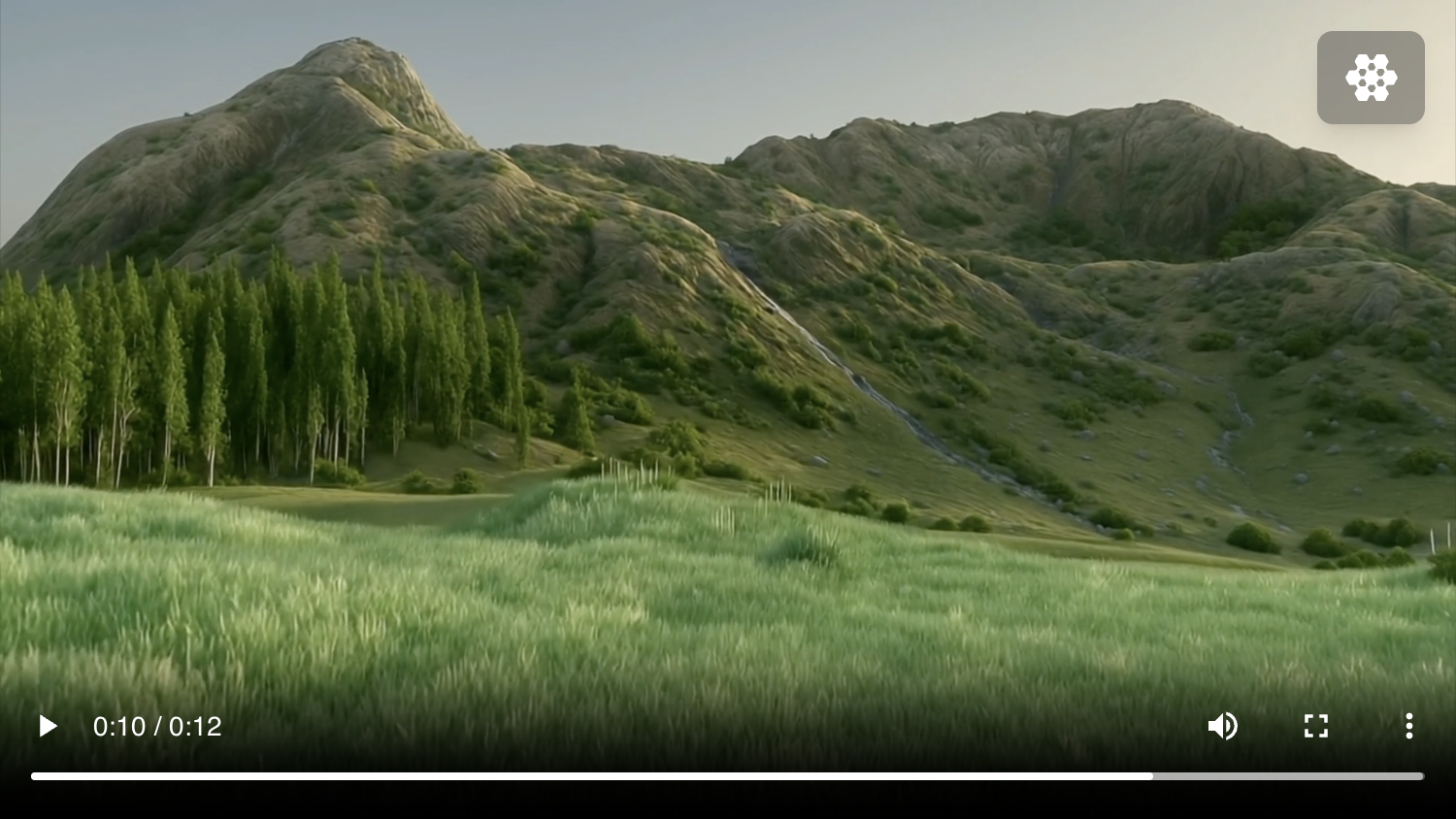
New Polytrons have been added to process these media types.
¶ Audio File Encoding
 Re-encode audio assets into various formats such as OGG, Opus, MP3, and WAV, with control over bit rate and sample rate.
¶ Audio to Waveform Image
 Generate a waveform image from an audio file, with customizable dimensions, colors, and multi-channel display options.
¶ Video Frame to Image
 Extract a still frame from a video at a specified timecode, with options for size, dimensions, and scaling mode.
¶ Video Frame to Image Grid
 Create an image grid from a video for a quick overview of its content.
¶ Polytron Pipelines
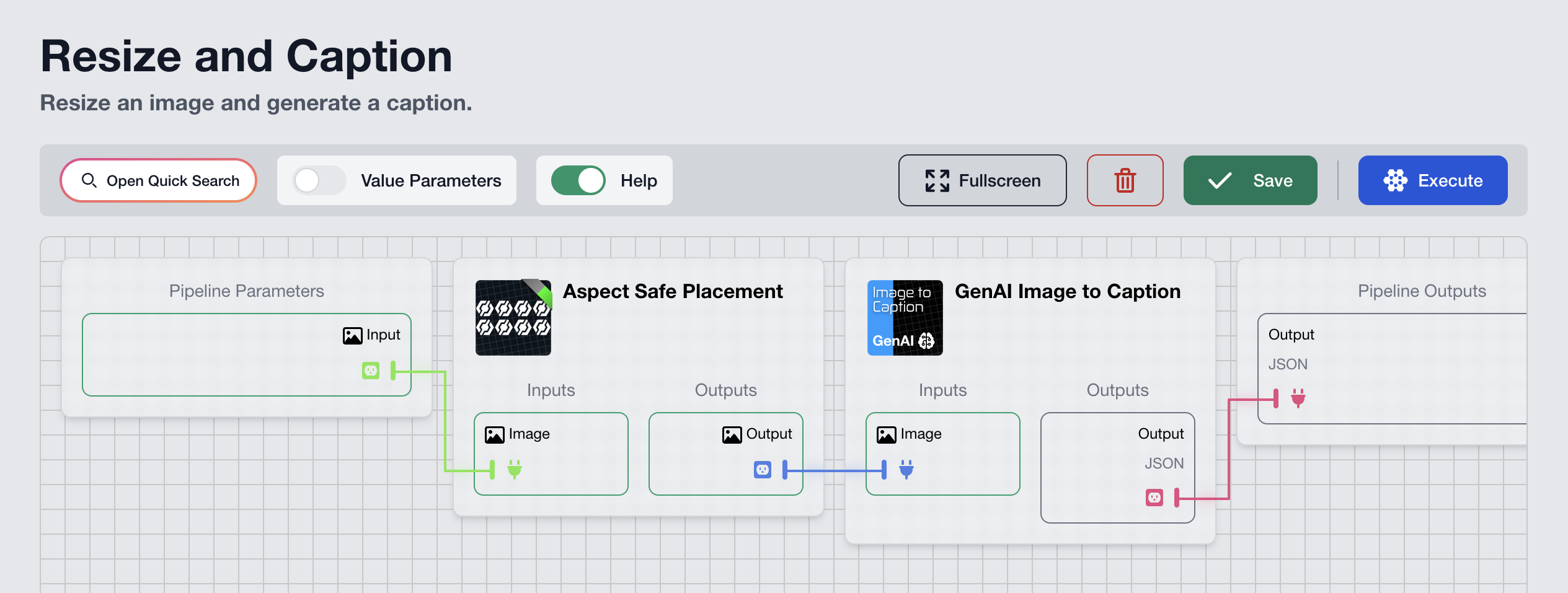
Polytron Pipelines enable you to perform complex processing that spans across multiple Polytrons. The execution can be chained together with data flowing seamlessly between Polytrons. With the latest deployment, Polytron Pipelines releases from its preview status and can now be used to process and generate content.
¶ User Interface and Experience Improvements
This deployment introduces many improvements to Polyverse's user interface and experience.
¶ Version Compare View
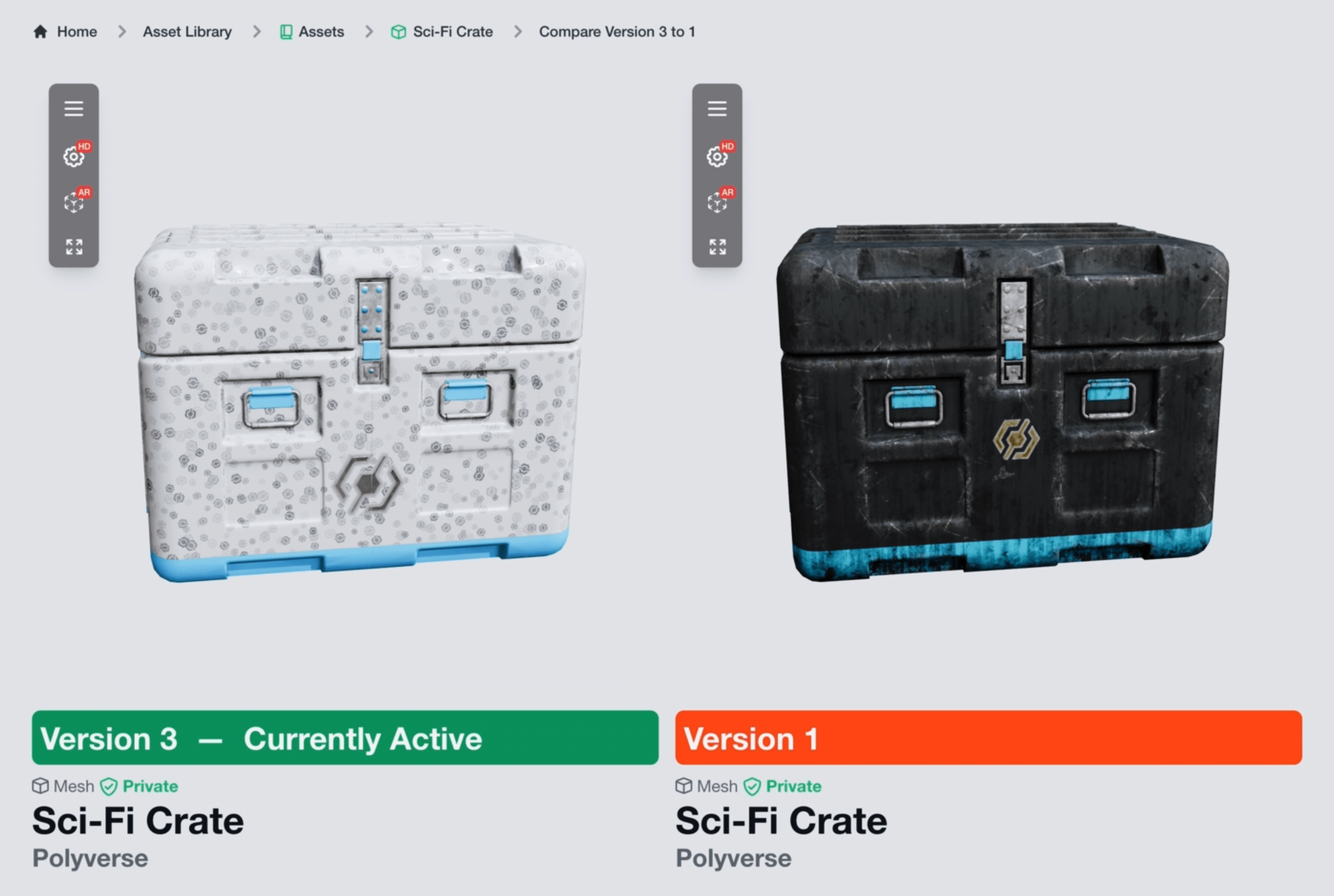
Polyverse now features a new version compare view, allowing users to easily compare and activate older versions of assets directly from the edit page.
¶ Sidebar Enhancements
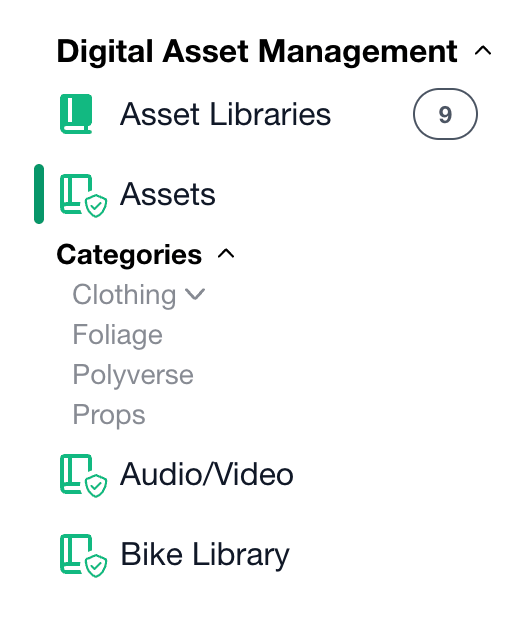 The sidebar has been updated with clearer icons indicating whether a library is public or private and if it's an external library you've been added to. Asset categories now appear inline with their libraries in the sidebar, offering expand and collapse functionality for better organization.
¶ Asset Viewer Full Screen
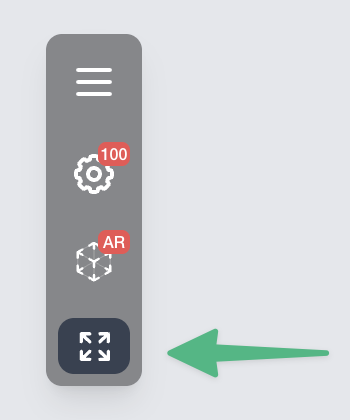 The asset viewer now includes a full-screen mode, providing a larger viewing area for meshes and video content.
¶ Streamlined Downloading
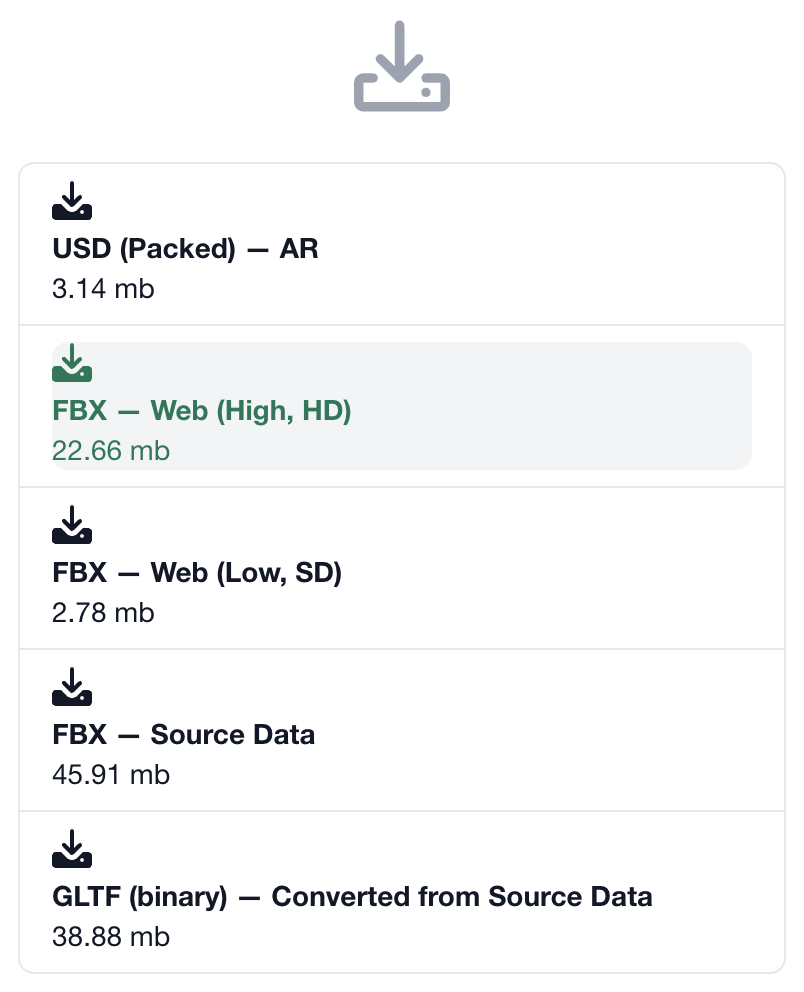
The process of downloading assets has been streamlined, enabling users to select and download individual levels of detail and file formats for 3D assets, taking advantage of Polyverse's automatic LOD generation. This new download experience quickly displays the file type, target destination, detail level, and file size for each downloadable asset.
¶ New Content
Polyverse is now providing a regular stream of fresh new content for its users. This includes a variety of PBR materials and complete 3D assets that are ready for immediate use in your projects. You can easily discover the latest additions by navigating to the homepage and utilize the search bar to explore the entire Polyverse library.

¶ All Changes
This deployment contains the following improvements and changes.
- New Polytrons
- Added Polytron
GenAI Image to Mesh: Uses a generative AI model to create a textured 3D mesh from a one or more images. - Added Polytron:
GenAI Text to Speech: A Polytron that generates an audio track with the spoken text. Optionally allows cloning the voice from an existing audio clip. - Added Polytron:
GenAI Text to Image: A Polytron that generates an image from textual input. - Added Polytron:
GenAI Image to Quad Mesh: Uses a generative AI model to create a 3D quad mesh from one or more images. - Added Polytron:
GenAl Image Background Removal: A Polytron that removes the background of an image. - Added Polytron:
GenAI Image to Text (OCR): A Polytron that extracts the text in the image and includes the bounding box on the region where each line was found. - Added Polytron:
GenAI Image to Caption: A Polytron that generates a caption for an Image. - Added Polytron:
GenAI Object Detection: A Polytron that processes an image and performs object detection on the contents of the image. - Added Polytron:
GenAI Image Object Recognition: A Polytron that processes an image and performs object search on the contents of the image. - Added Polytron:
Audio to Waveform Image: Generates a waveform from the contents of the audio track. - Added Polytron:
Audio File Encoding: Converts between audio file formats. - Added Polytron:
Video Frame to Image: Generates an image from a video frame. - Added Polytron:
Video Frame to Image Grid: Generates an image grid from multiple video frames spread evenly.
- Added Polytron
- Asset Viewer
- Added: Support for video playback.
- Added: Support for audio playback.
- Added: Full screen mode for 3D and video assets.
- Asset Libraries
- Added: Version Compare: Two asset versions can be compared side by side and an older version can be enabled.
- Polytron Pipelines
- Added: Pipelines can be executed to process and generate content.
- Added: Pipeline editor supports full screen editing.
- Added: Pipeline editor supports exposing Enum values.
- Added: Pipeline editor supports reordering parameters.
- Added: Pipeline editor supports cable separation.
- Fixed: Issues with editing execution size/format.
- Improved UI/UX
- Improved: Sidebar Navigation: Icons added for public/private libraries.
- Improved: Sidebar Navigation: Icon added for external libraries.
- Improved: Sidebar Navigation: Asset library categories appear inline under the selected library with the ability to expand and collapse.
- Improved: Sidebar Navigation: Renamed "My Polytrons" to "My Tasks" and other adjustments for better readability/learning.
- Improved: File Download: Improved UI when downloading a file to show additional information (LOD type, target destination, file type, file size)
- Improved: File Download: Downloading files for anonymous users now functions properly.
- Improved: Asset Libraries: Improved paged titles and meta data for assets and libraries.
- Improved: Asset Libraries: Showing login button when accessing private assets.
- Improved: Home: The Home page now displays Polytrons when logged in.
- Improved: Polytrons: Users can now load Polytrons without being logged in.
- Bug Fixes
- Fixed: Asset comments now show up immediately after submission without the need to refresh.
- Fixed: Broken redirect after asset deletion.
- Fixed: Light theme visual adjustments and consistencies.
- Fixed: Issues could occur when quickly switching between libraries.
- Fixed: Incorrect translations.
¶ 12th January 2024
🎉 Happy New Year! The following changes or updates were deployed.
¶ Social Feed 🚀
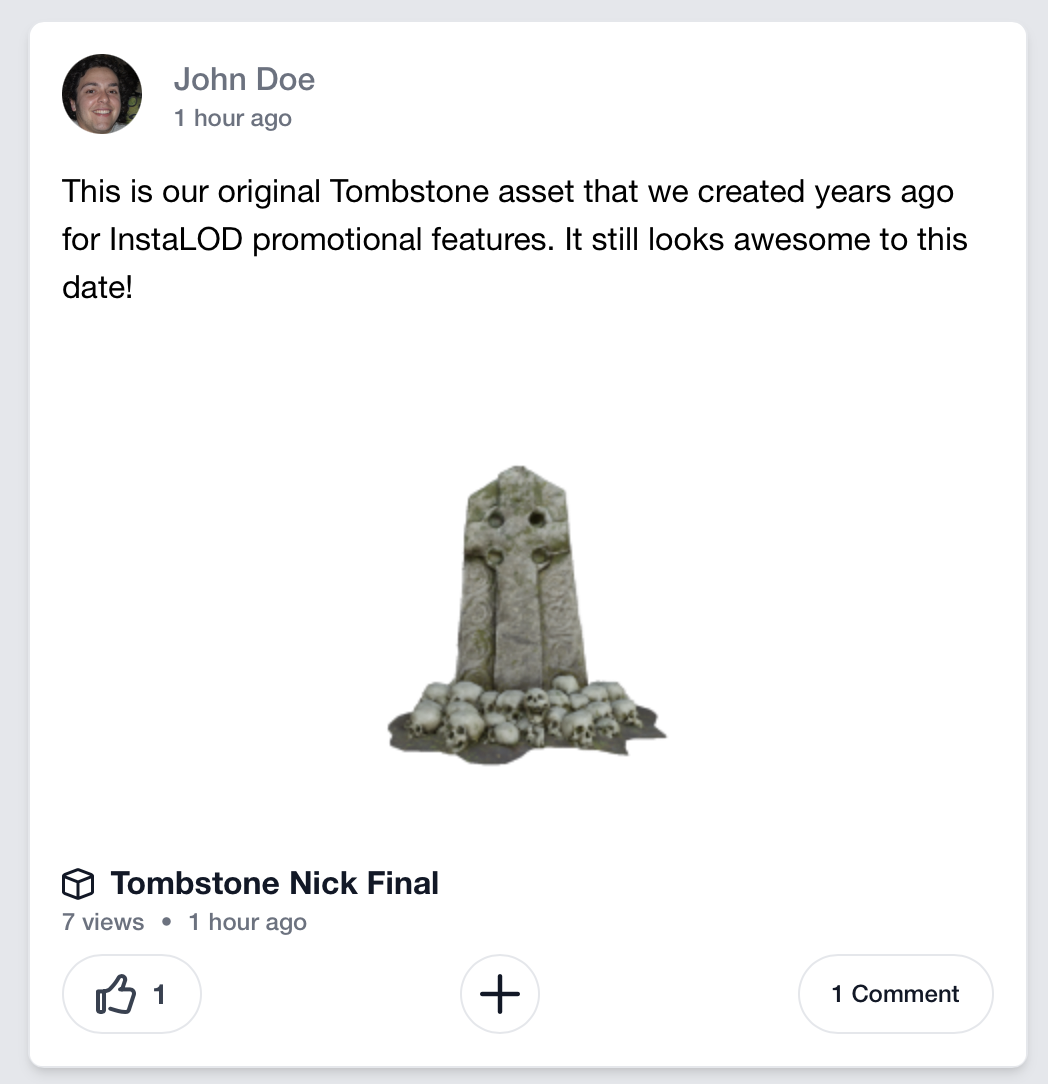
Polyverse now supports a social feed! See the latests posts from users you're subscribed to. When uploading an asset, you can now specify a message that will be posted to the feed of your subscribers - together with the message. Same as other social networks, users can directly interact with your post: comment, repost and like - it's all there. Check out your feed here: https://hello.polyverse.cloud/#/Subscriptions
¶ AR and Automatic Preview Support for Materials 🚀
Leveraging the new "Scene" polytrons, Polyverse now supports AR generation for newly uploaded materials. In addition to AR, materials now automatically generate a default turntable and preview image.
¶ Improved Quality for Low-Quality Environments
The quality for low quality environments has been improved.
¶ Frontend UI / UX Improvements
Several improvements to the UI/UX have been made. Pages now include a canonical URL to improve SEO.
¶ Backend Improvements
Improvents to notifications and search results for pinned items.
Corrections to the display of subscriber states for external assets.
Entire executor clusters can be rebooted at once.
The "New Polytrons" list is now automatically updated.
Improvements to the „CAD to 3D” Polytron.
Many new Polytrons in the “Materials” category.